
A well-crafted wedding day timeline is the backbone of a stress-free celebration, transforming potential chaos into choreographed elegance. It serves as the master plan, ensuring every vendor, from your photographer and caterer to the getaway car from a service like Max's Luxury Rides, operates in perfect sync. The challenge, however, is building this critical document from scratch, a task that can feel overwhelming amidst countless other planning details.
This resource guide eliminates that guesswork. We have curated and analyzed the 12 best sources for a wedding day timeline template, from premium, professionally designed printables on Etsy to dynamic, collaborative digital tools on platforms like Canva and Aisle Planner. Each entry includes a concise description, a breakdown of key features, and practical insights to help you identify the best fit for your specific planning style and event complexity.
We provide direct links and screenshots for every resource, enabling you to quickly compare options and select the ideal template to orchestrate your event with confidence. Our goal is to equip you with a tool that streamlines logistics, minimizes day-of stress, and empowers you to remain fully present, focusing on what truly matters: celebrating your union. Find the perfect framework to manage your schedule, so you can enjoy every moment.
1. Weddings – Max’s Luxury Rides
While Max’s Luxury Rides is a premier transportation service rather than a direct provider of a downloadable wedding day timeline template, its service page is an indispensable planning resource. It expertly outlines every critical transportation event that must be factored into a comprehensive timeline, serving as a practical, real-world framework. By detailing services for guest shuttles, wedding party transfers, and getaway cars, it forces couples to consider logistical details often overlooked in generic templates.

The structure of their offerings provides a robust checklist for scheduling, ensuring no travel component is missed. This approach is invaluable for building a realistic and stress-free schedule that accounts for buffer time, multiple locations, and varying group sizes. It prompts essential questions: How long does the wedding party need to travel from the hotel to the photo location? When should the first guest shuttle depart? These logistical anchors are crucial for a timeline's success.
Key Planning Insights
- Comprehensive Logistics: Covers all transportation phases, from pre-ceremony travel to the final post-reception departure.
- Fleet-Based Scheduling: The diverse fleet of sedans, SUVs, and minibuses helps visualize and plan for different group sizes and their specific timing needs.
- Professional Framework: The service description, focused on reliability and punctuality, sets a professional standard for timing every transportation leg of the day.
Use Case & Considerations
This resource is best used during the initial stages of creating your wedding day timeline template. Use its service categories as a guide to block out all travel-related time slots before filling in other events. While the service is geographically focused on Illinois and reflects premium pricing, the logistical principles are universally applicable for any wedding.
Website: https://maxsluxuryrides.com/service/wedding/
2. Etsy
Etsy is an expansive marketplace offering thousands of unique, downloadable wedding day timeline template options from independent designers. It stands out for its sheer variety and affordability, making it an ideal resource for couples, photographers, and coordinators seeking a specific aesthetic without a high price tag.
The platform provides an unmatched selection, with templates available in formats like Canva, Google Sheets, and printable PDFs. You can filter by style, price, and file type, ensuring you find a format you are comfortable editing. Many sellers also offer specialized products, such as automated timeline calculators in Google Sheets that adjust timings dynamically. While quality can vary between shops, looking for “Star Seller” badges and reading customer reviews helps identify reliable creators.
Key Features and Considerations
| Feature | Details |
|---|---|
| Pricing | Highly affordable, typically ranging from $2–$20 per template. |
| Access | Instant digital download immediately after purchase. |
| Selection | Over 5,000 listings tailored to different roles (couples, vendors). |
| Formats | Canva, PDF, Google Sheets, Adobe Illustrator, and more. |
Pro Tip: Before purchasing, carefully read the item description to confirm the software needed for editing and the included license terms, as most are for personal use only.
Website: Etsy Wedding Timeline Templates
3. Creative Market
Creative Market is a curated marketplace for professional-grade design assets, offering a sophisticated selection of wedding day timeline template options. It caters to users who prioritize a polished, high-end aesthetic, with many templates created by seasoned graphic designers and branding experts. This platform is ideal for planners and couples looking to establish a cohesive visual identity across all their wedding stationery and signage.
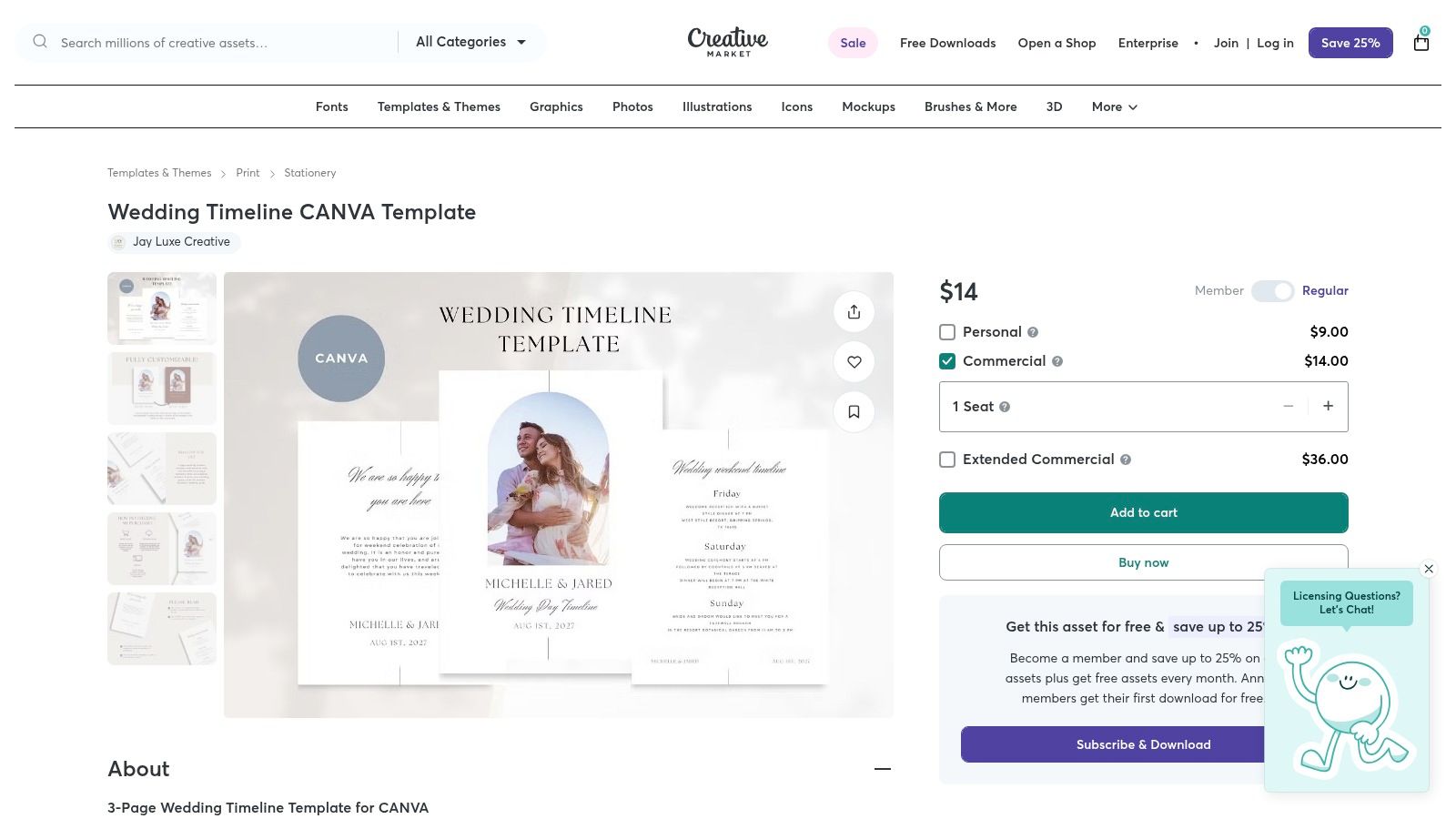
Unlike mass-market sites, Creative Market emphasizes quality and design integrity. Templates are often part of larger, coordinated bundles that include invitations, menus, and welcome signs, ensuring brand consistency. These products frequently come in multiple formats, such as Canva, Adobe Illustrator, and Photoshop, providing flexibility for those with basic design software knowledge. The higher price point reflects the professional quality and licensing options often included.
Key Features and Considerations
| Feature | Details |
|---|---|
| Pricing | Premium, generally ranging from $15–$50 per template or bundle. |
| Access | Instant digital download after purchase. |
| Selection | Curated collection of high-quality, professional designs. |
| Formats | Canva, Adobe Illustrator (AI), Photoshop (PSD), and PDF. |
Pro Tip: Look for template bundles or "wedding suites" from a single designer. This is a cost-effective way to get a matching timeline, invitation, and other stationery for a fully branded event.
Website: Creative Market Wedding Timeline Templates
4. Canva
Canva is a powerful online design tool that offers a vast collection of free and premium wedding day timeline template options. Its user-friendly, drag-and-drop interface makes it an excellent choice for couples and professionals who want to create visually appealing and highly customized timelines without needing advanced design skills. The platform excels at producing assets for both digital and print use, from detailed vendor schedules to simplified, phone-friendly graphics for the wedding party.
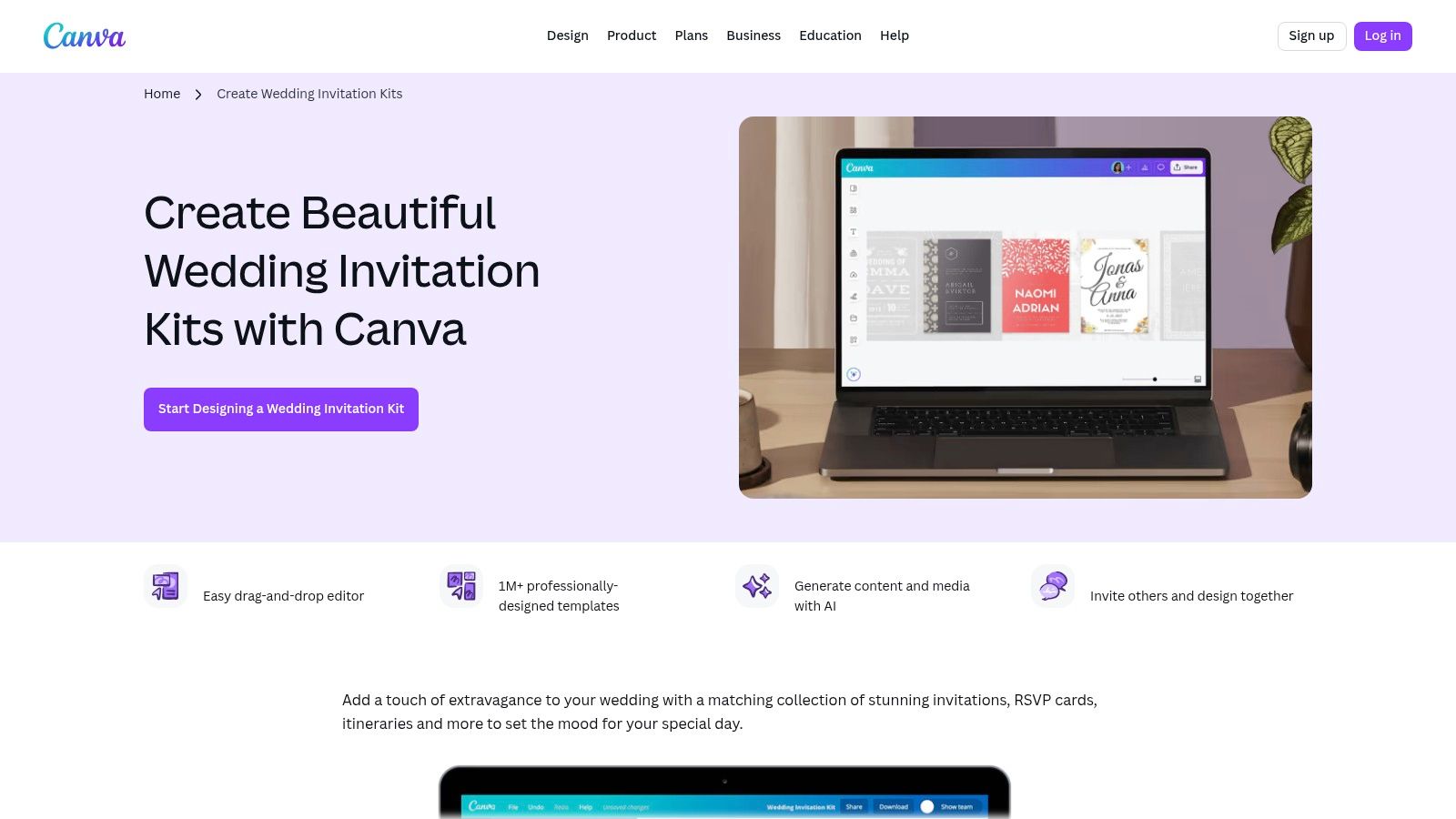
Canva’s strength lies in its accessibility and versatility. Users can easily modify colors, fonts, and layouts to match their wedding theme perfectly. The platform also supports real-time collaboration, allowing a planner and couple to work on a timeline together. While the free version is robust, some of the most polished templates and design elements are locked behind a Canva Pro subscription. However, for most users, the free offerings are more than sufficient for creating a beautiful and functional timeline.
Key Features and Considerations
| Feature | Details |
|---|---|
| Pricing | Free plan available; Canva Pro subscription offers premium assets. |
| Access | Instant online access with no downloads required to start designing. |
| Selection | Hundreds of templates, plus access to a full library of wedding suites. |
| Formats | PDF, PNG, JPG, and digital-friendly formats for mobile viewing. |
Pro Tip: Use Canva’s "Brand Kit" feature (available on the Pro plan) to save your wedding colors and fonts, ensuring every document you create, from the timeline to the menu, maintains a consistent look.
Website: Canva Wedding Invitation Kits
5. Adobe Express
Adobe Express is a browser-based design tool from a trusted creative industry leader, offering polished, free templates that can be easily adapted into a wedding day timeline template. It stands out for its professional-grade typography and seamless integration with Adobe Fonts and stock assets, making it perfect for couples who want a high-end look without needing advanced design skills.
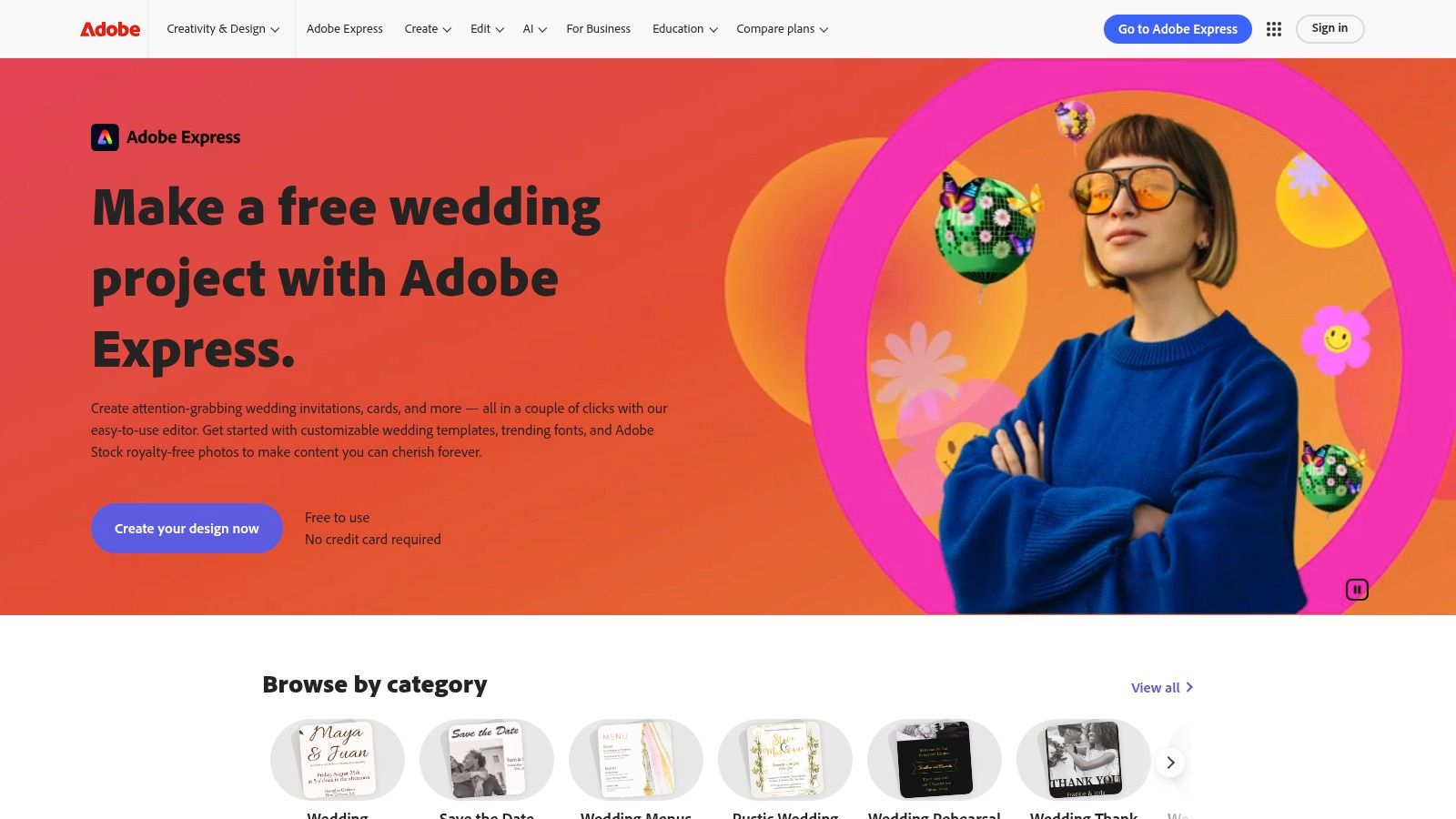
While not exclusively a timeline generator, the platform’s collection of wedding programs, schedules, and signage templates provides a strong foundation. Users can quickly customize colors, swap fonts, and add their own details with its intuitive drag-and-drop editor. The ability to export designs for print or share a digital link makes it versatile for both physical signage and mobile access. Although some premium assets require a subscription, the free offering is robust enough for creating a beautiful and functional timeline.
Key Features and Considerations
| Feature | Details |
|---|---|
| Pricing | Free plan available; Premium subscription unlocks all assets. |
| Access | Instant access via web browser or mobile app. |
| Selection | Hundreds of adaptable wedding templates (programs, signs). |
| Formats | JPG, PNG, PDF, and shareable web links. |
Pro Tip: Start with a "Wedding Program" or "Itinerary" template, as these layouts are often structured perfectly for a timeline. Use the "Brand" kit feature to apply your wedding colors to any template in one click.
Website: Adobe Express Wedding Collection
6. The Knot
The Knot is a leading US wedding resource that offers expert-backed guidance rather than a downloadable wedding day timeline template. It stands out by providing detailed, example-driven schedules and practical advice, making it an ideal starting point for couples seeking a reliable framework and industry-standard timing suggestions before creating their own document.
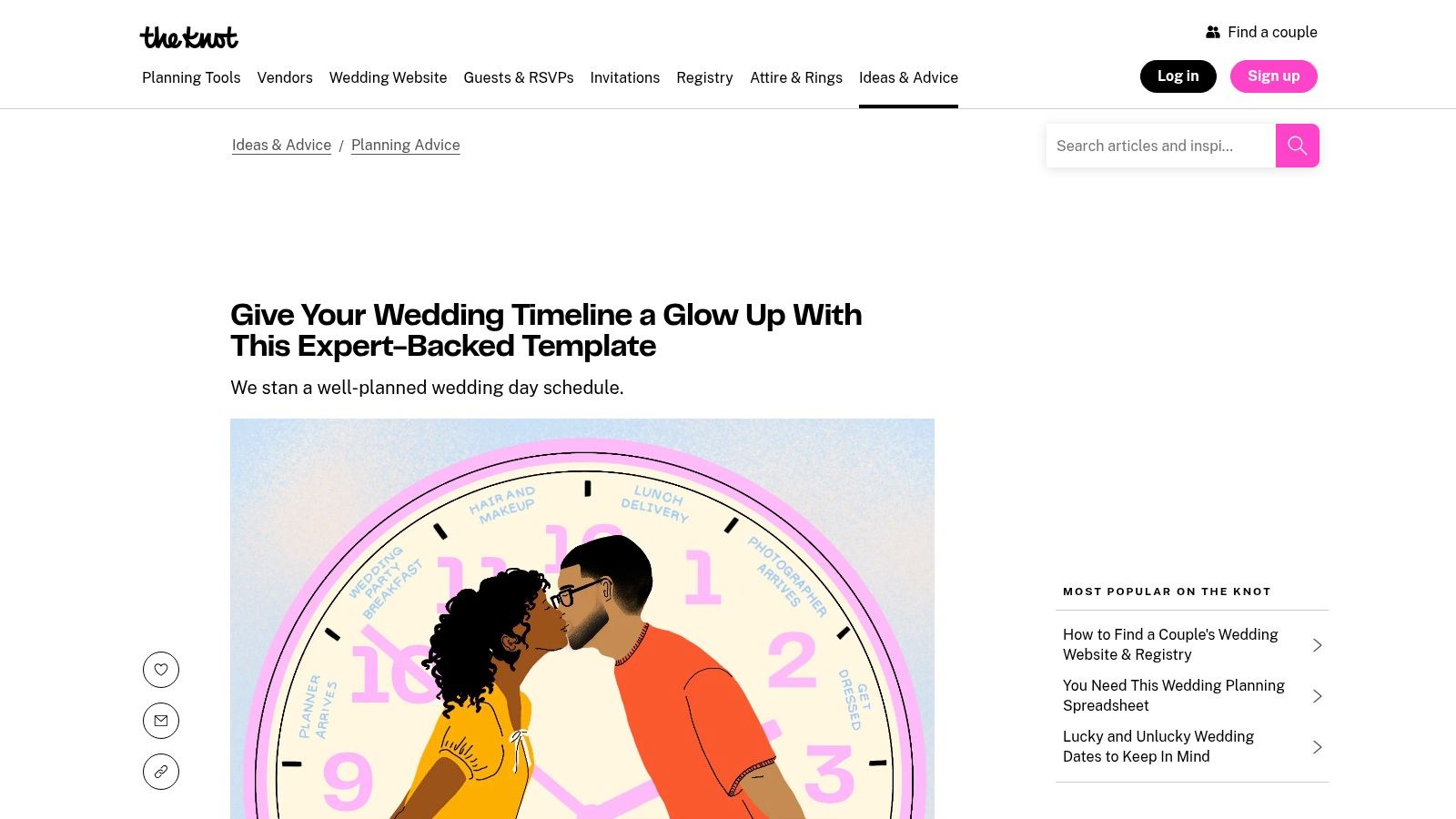
Instead of an editable file, the platform provides comprehensive articles with sample schedules covering everything from hair and makeup to the final send-off. These guides include crucial vendor timing advice and checklists for confirming details with suppliers one month and one week out. While the content is informative and authoritative, its primary drawback is the lack of a downloadable or directly editable template, requiring users to manually transfer the information into their own document.
Key Features and Considerations
| Feature | Details |
|---|---|
| Pricing | Free to access all articles and example timelines. |
| Access | Immediately available on the website; no downloads required. |
| Selection | Multiple example schedules for different wedding styles. |
| Formats | Content is presented as articles; no editable files are provided. |
Pro Tip: Use The Knot's sample schedules as a reference to build your timeline in a separate program like Google Docs or Sheets. The vendor-specific timing advice is particularly valuable for ensuring your plan is realistic.
Website: The Knot Sample Wedding Timelines
7. Zola
Zola is a comprehensive wedding planning platform that offers a free and highly practical wedding day timeline template resource. Rather than providing an editable file, Zola presents detailed sample schedules and expert guidance, making it an excellent starting point for couples building their timeline from scratch. It excels at setting realistic time-block expectations for everything from hair and makeup to vendor arrivals.
The platform provides several specific examples, including timelines for afternoon ceremonies, first looks, and destination wedding weekends. This makes it easy to find a framework that closely matches your own plans. While you cannot edit directly on the site, the printable schedules serve as a perfect blueprint to adapt in your preferred software, like Google Docs or Canva. Zola’s strength lies in its clear, logical structure and advice on coordinating vendors and managing guest flow.
Key Features and Considerations
| Feature | Details |
|---|---|
| Pricing | Completely free to access and use. |
| Access | Instantly available online with printable sample schedules. |
| Selection | Multiple examples for different wedding styles (e.g., afternoon, destination). |
| Formats | Provides printable guides and text-based examples to copy and adapt. |
Pro Tip: Use Zola’s time estimates as a baseline when building your timeline in another tool. Share the relevant printable sample with your photographer and coordinator to ensure everyone’s expectations are aligned from the start.
Website: Zola Wedding Day Timeline
8. A Practical Wedding (APW)
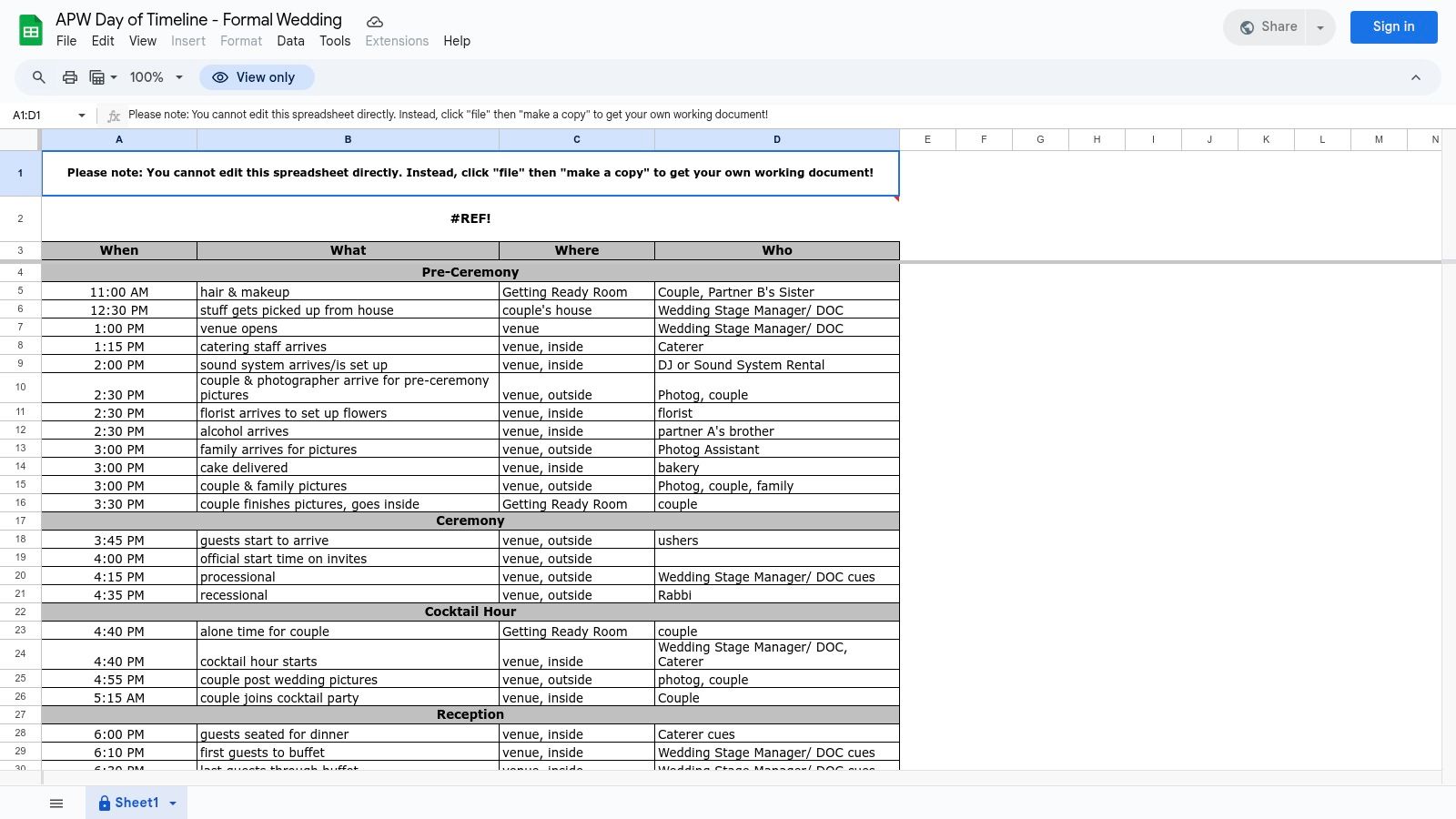
A Practical Wedding (APW) provides a completely free and highly functional wedding day timeline template directly in Google Sheets. It is designed for couples who prioritize practicality and collaboration over polished aesthetics, offering a ready-to-use framework for detailed day-of coordination. The template's strength lies in its straightforward, no-frills structure focused on logistical precision.
It features clear, editable columns for time, event, location, and the individuals responsible, making it an indispensable tool for keeping your vendors and wedding party aligned. Because it’s a Google Sheet, it can be easily shared and updated in real-time on any device, ensuring everyone has the latest version. While it lacks a designer look, its core function as a master logistics document is exceptionally well-executed, perfect for behind-the-scenes planning.
Key Features and Considerations
| Feature | Details |
|---|---|
| Pricing | Completely free to access and use. |
| Access | Instant access; simply make a copy of the public Google Sheet. |
| Selection | One highly practical, logistics-focused template. |
| Formats | Google Sheets, enabling real-time collaboration and mobile access. |
Pro Tip: Use this Google Sheet as your master timeline for vendors and the wedding party, then create a separate, more visually appealing timeline for guests using a tool like Canva.
Website: APW Google Sheets Timeline Template
9. OnPlanners
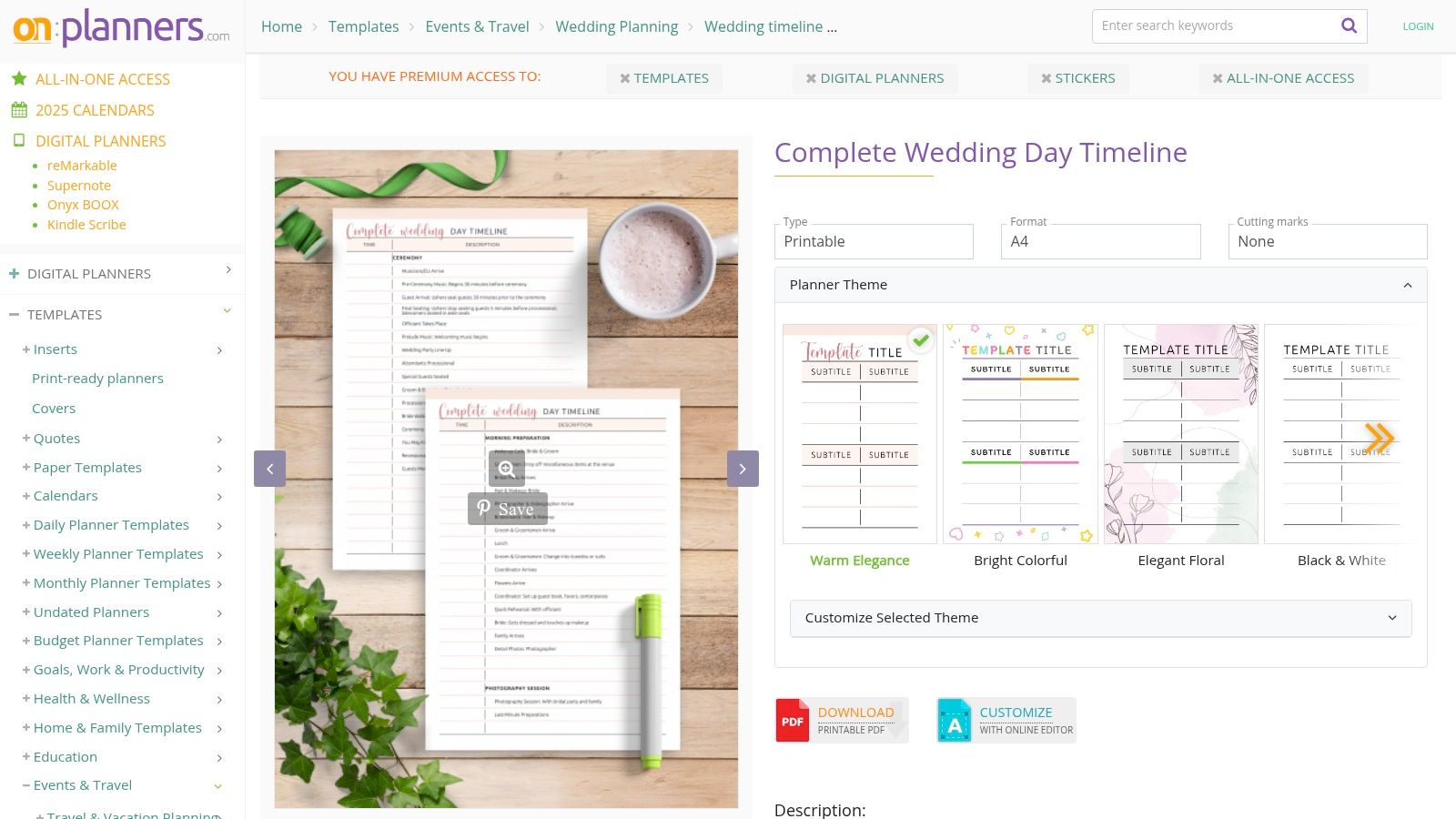
OnPlanners provides a streamlined solution for creating a polished and printable wedding day timeline template directly from your browser. This platform is ideal for those who need a well-structured, professional-looking document quickly, without the need for external design software. Its online editor is pre-filled with essential sections, making it a great starting point for couples or planners.
The standout feature is its simplicity and focus on printable output. You can easily customize text, then download a high-quality PDF formatted for various paper sizes like A4 or US Letter. OnPlanners also offers coordinating wedding-day checklists, allowing you to create a cohesive set of documents for vendors, family, and the wedding party. While some advanced customization options are behind a premium plan, the free version is highly functional for basic needs.
Key Features and Considerations
| Feature | Details |
|---|---|
| Pricing | Free for basic templates; premium plans unlock more designs. |
| Access | Instant access via the online editor; download as a PDF. |
| Selection | Focused on a core, structured template with matching checklists. |
| Formats | PDF, optimized for print in US Letter, A4, and other sizes. |
Pro Tip: Use the online editor to finalize all your text before downloading the PDF. This ensures your printed handouts for vendors and VIPs are perfectly formatted and ready to distribute without any extra steps.
Website: OnPlanners Wedding Day Timeline
10. Template.net
Template.net offers a robust library of downloadable wedding day timeline template options designed for users comfortable with traditional document and design software. Its primary strength lies in the wide array of file formats available, including Word, Google Docs, PDF, and Adobe Creative Suite, catering to both DIY couples and professional planners.
This platform is ideal for those who prefer to work offline or within familiar programs rather than cloud-based editors. The collection includes diverse themes ranging from modern minimalist to rustic chalkboard, allowing for easy integration into your existing wedding stationery. While some templates are free, the more premium and visually appealing designs often require a Pro subscription, which unlocks the entire library.
Key Features and Considerations
| Feature | Details |
|---|---|
| Pricing | Offers both free templates and a Pro membership for full access (starts at $8/month). |
| Access | Instant digital download after selecting a template and format. |
| Selection | A curated collection of timelines and itineraries with various design themes. |
| Formats | Google Docs, Word, PDF, Adobe Photoshop (PSD), Illustrator (AI), and more. |
Pro Tip: Use the free templates to test compatibility with your software and editing skills before considering a Pro membership. This ensures the workflow meets your needs without an initial investment.
Website: Template.net Wedding Timeline Templates
11. Notion Everything
Notion Everything provides a comprehensive, paid wedding day timeline template integrated into an all-in-one digital planner. This option is ideal for tech-savvy couples who want to manage their timeline alongside every other planning detail, from vendor contacts and budgets to guest lists and tasks, all within a single, interconnected workspace.
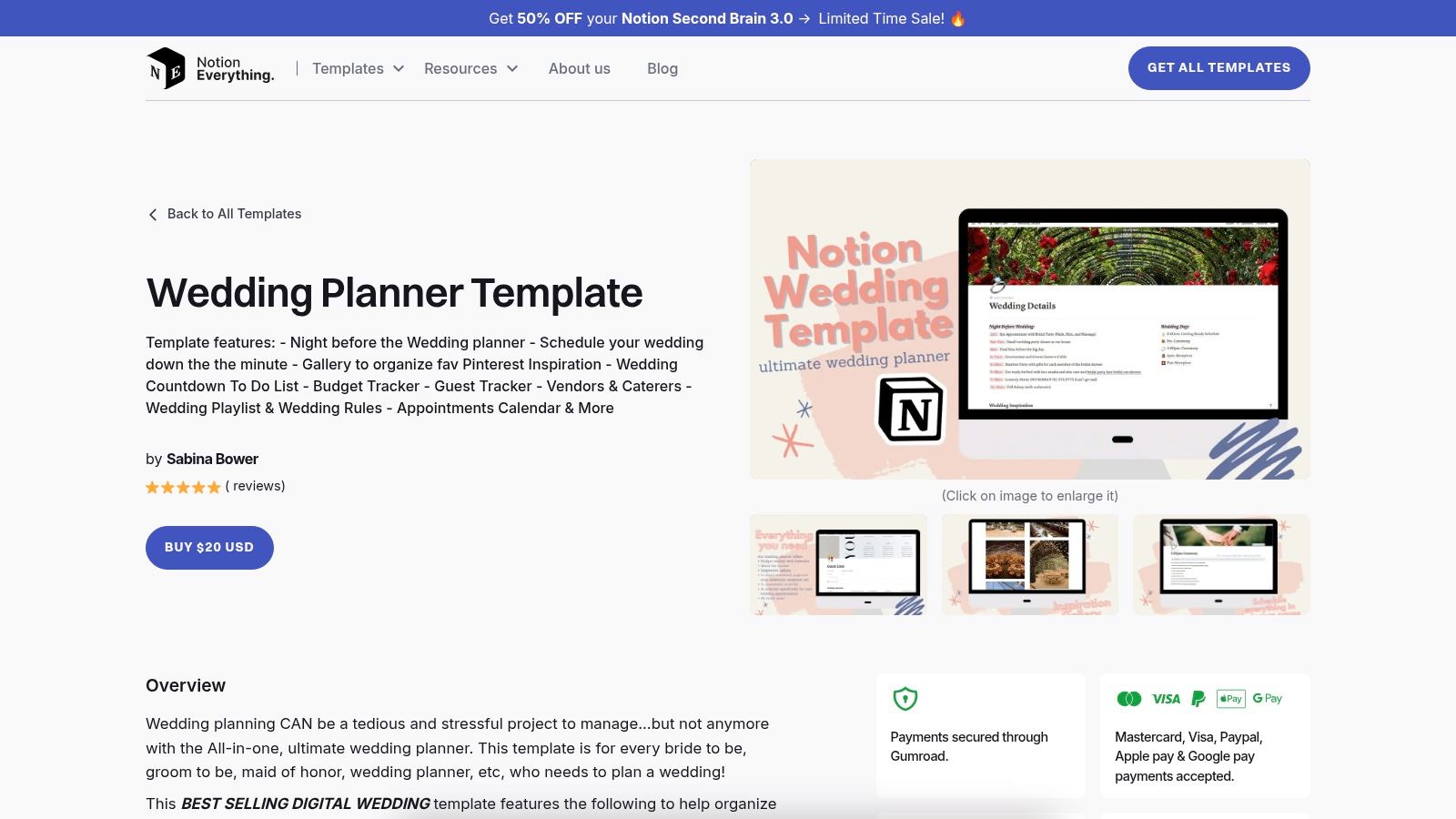
The platform stands out by embedding the timeline directly into a larger planning system using Notion’s flexible database structure. This allows you to link timeline events to specific vendors, contacts, or to-do items, creating a powerful, relational planning tool. While there is a learning curve for those new to Notion, its collaborative features and mobile-friendly access make it perfect for keeping the entire planning team, including planners and family members, perfectly in sync in real-time.
Key Features and Considerations
| Feature | Details |
|---|---|
| Pricing | One-time purchase, typically ranging from $20–$49. |
| Access | Instant template duplication into your personal Notion account. |
| Selection | Focused on all-in-one wedding planners rather than standalone timelines. |
| Formats | Native Notion template, shareable and accessible on web and mobile. |
Pro Tip: Take advantage of the interconnected databases. Link your photographer from the vendor list directly to their "arrival" time block on the schedule for quick reference on the day of.
Website: Notion Everything Wedding Planner Template
12. Aisle Planner
Aisle Planner is a professional-grade wedding planning software designed for both planners and couples who need a robust, all-in-one solution. It excels by integrating a powerful wedding day timeline template directly into a full suite of management tools, including budgets, checklists, guest lists, and vendor contracts.
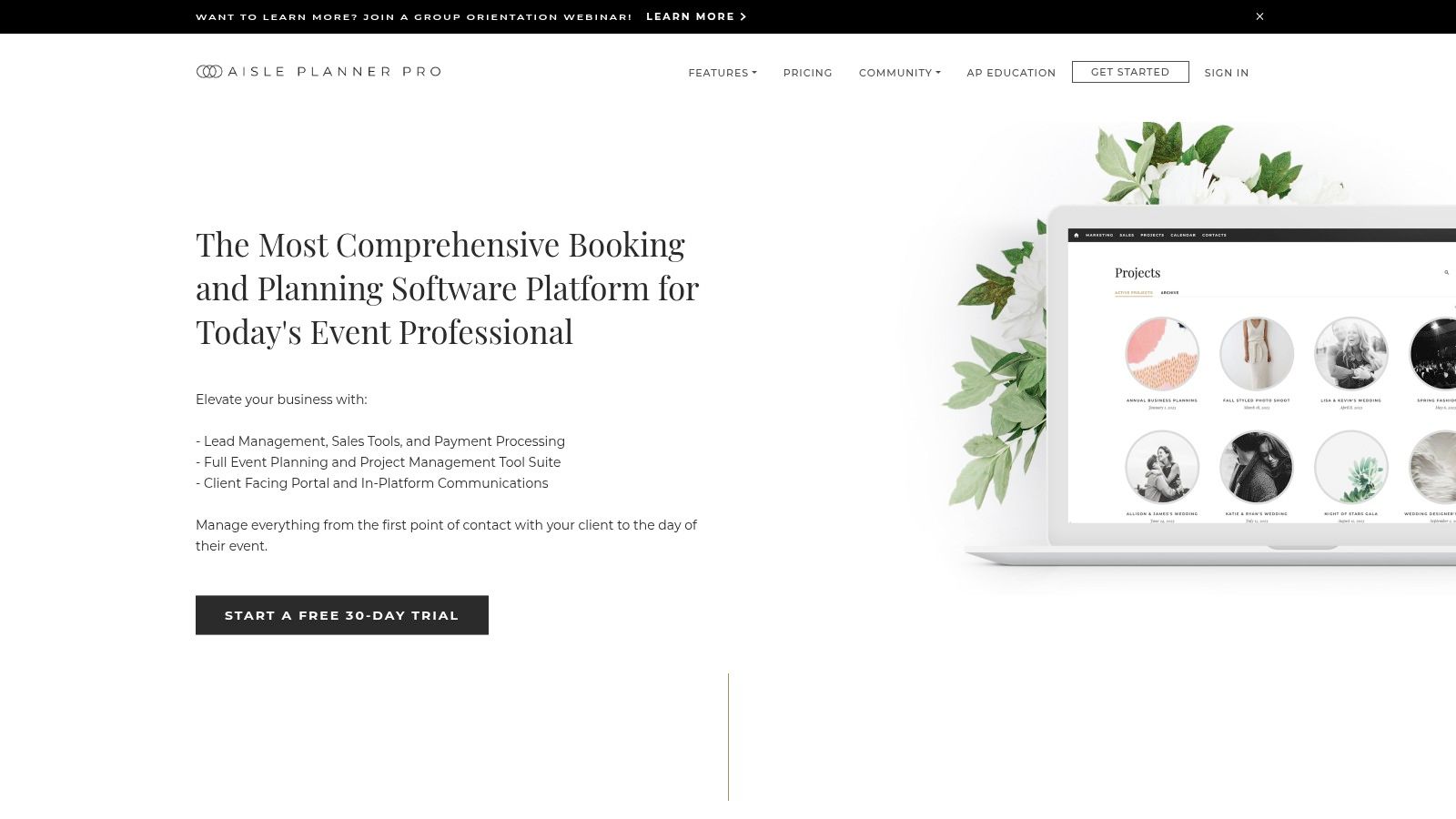
The platform’s standout feature is its ability to filter a master timeline to generate stakeholder-specific versions with a single click. You can create a detailed schedule for your photography team, a simplified one for the bridal party, and another for your family, ensuring everyone receives only the information relevant to them. This functionality streamlines communication and reduces confusion on the big day. While it is a premium tool, its comprehensive nature makes it ideal for managing complex events where organization is paramount.
Key Features and Considerations
| Feature | Details |
|---|---|
| Pricing | Paid subscription required after a 30-day free trial. |
| Access | Web-based platform; no dedicated mobile app, but has mobile web access. |
| Selection | Customizable templates for various event types and planning stages. |
| Formats | Interactive online timeline with one-click PDF export for easy sharing. |
Pro Tip: Use the free 30-day trial to fully build out your timeline. Even if you don't continue the subscription, you can export the finalized PDF versions for all your key stakeholders before the trial ends.
Website: Aisle Planner
Wedding Day Timeline Template Comparison of 12 Resources
| Service | Core Features & Flexibility | User Experience & Quality ★ | Value Proposition 💰 | Target Audience 👥 | Unique Selling Points ✨ | Price Range 💰 |
|---|---|---|---|---|---|---|
| Weddings – Max’s Luxury Rides | Diverse fleet: sedans, SUVs, limos, minibuses | Professional chauffeurs, 24/7 reliability ★★★★🏆 | Luxury, reliable transport with senior & military discounts | Couples, wedding parties, Illinois clients 👥 | Specialized wedding transport, seamless luxury experience ✨ | Premium pricing |
| Etsy | 5,000+ editable downloadable templates | Varies by seller, ratings available ★★ | Very affordable, instant digital delivery 💰 | Couples, photographers, planners 👥 | Huge variety, instant access, tailored for non-designers ✨ | $2–$20 |
| Creative Market | Commercial-grade templates (Canva, Adobe) | High-quality polished designs ★★★★ | Professional branding assets, print & digital | Designers, planners, pros 👥 | Polished aesthetics, multi-format layouts ✨ | Moderate ($10–$50+) |
| Canva | Drag-and-drop editor, collaboration | Easy & fast customization ★★★ | Free plan available, many free templates 💰 | Couples, DIY planners, professionals 👥 | User-friendly editing, mobile-friendly ✨ | Free / Pro subscription |
| Adobe Express | Browser-based, Adobe Fonts & stock assets | Polished fonts & graphics ★★★ | Free and premium templates, Adobe integration | Designers, quick editors 👥 | Adobe ecosystem integration, quick last-minute edits ✨ | Free / Premium |
| The Knot | Expert-curated timelines & vendor timing advice | Trusted guidance, no templates ★★★★ | Free expert-backed editorial content 💰 | US couples seeking guidance 👥 | Up-to-date expert timelines & vendor tips ✨ | Free |
| Zola | Multiple printable sample timelines | Practical schedules, no editable templates ★★★ | Free timelines with vendor coordination 💰 | Couples focusing on flow management 👥 | Printable timelines with realistic time estimates ✨ | Free |
| A Practical Wedding (APW) | Editable Google Sheets template | Functional, collaborative ★★★ | Free, plug-and-play spreadsheet 💰 | Couples wanting simple digital planning 👥 | Real-time collaboration, mobile access ✨ | Free |
| OnPlanners | Printable, customizable with online editor | Polished PDFs, structured timeline ★★★ | Fast editing with checklist templates 💰 | Couples needing print handouts 👥 | Online editor + multiple paper sizes ✨ | Free & premium features |
| Template.net | Multi-format editable templates | Variable design quality ★★ | Free & Pro membership for advanced templates 💰 | Planners needing variety & print options 👥 | Wide format support, themed templates ✨ | Free / Pro membership |
| Notion Everything | Notion native templates with schedules & tasks | Comprehensive, flexible, collaborative ★★★ | Paid all-in-one digital planner 💰 | Tech-savvy couples, planners 👥 | Integrated timeline + tasks, mobile-friendly ✨ | $20–$49 one-time |
| Aisle Planner | Full planning suite + filtering & PDF export | Professional, centralized planning ★★★★ | Paid subscription after 30-day free trial 💰 | Couples & planners managing complex weddings 👥 | Stakeholder filtering, all-in-one software ✨ | Subscription-based |
Choosing the Right Timeline for a Flawless Day
Navigating the landscape of planning tools can feel as complex as orchestrating the wedding day itself. Throughout this guide, we've explored a diverse array of resources, from comprehensive platforms like Aisle Planner and Zola to creatively flexible tools such as Canva and Adobe Express. Each offers a unique approach to structuring one of the most important documents you'll create for your celebration. The ultimate goal remains the same: to build a clear, actionable, and reliable schedule that keeps everyone from your vendors to your wedding party perfectly in sync.
The key takeaway is that there is no single "best" wedding day timeline template. The ideal choice is deeply personal and depends entirely on your specific circumstances, technical comfort level, and the complexity of your event. A detailed, multi-tabbed spreadsheet from a resource like A Practical Wedding might be perfect for a detail-oriented planner coordinating numerous vendors. Conversely, a visually stunning, easily shareable graphic from Etsy or Creative Market may be all that's needed for a more intimate gathering.
Selecting Your Ideal Template
As you make your final decision, consider the following factors to guide you toward the right tool for your needs:
- Collaboration vs. Command: Do you need a tool that allows real-time collaboration with your planner and key vendors, like a Notion template or a shared Zola schedule? Or do you prefer to create a static, beautifully designed document that you distribute as a final directive?
- Integration Level: Are you seeking a standalone template, or do you want a timeline that integrates with a broader suite of wedding planning tools? Platforms like The Knot and Aisle Planner excel at creating a cohesive ecosystem, linking your timeline to guest lists, vendor contacts, and budgets.
- Customization and Aesthetics: How important is the visual design? If you want your timeline to match your wedding branding and serve as a beautiful keepsake for your wedding party, a template from Canva or Adobe Express offers unparalleled creative freedom. If function is your primary driver, a practical spreadsheet might suffice.
Implementation for a Seamless Experience
Once you've chosen your wedding day timeline template, its effectiveness hinges on how you implement it. Remember to create different versions for different audiences. Your photography team needs a detailed shot list with precise timings, while your wedding party benefits from a simplified schedule highlighting their key moments and responsibilities.
Crucially, don't overlook logistical linchpins like transportation. A ten-minute delay in shuttle service can have a cascading effect on your entire schedule. Integrating confirmed pickup and drop-off times for services handling airport transfers, guest shuttles, and wedding party transport is non-negotiable. This foresight transforms your timeline from a simple schedule into a powerful logistical command center, ensuring every moment unfolds exactly as you envisioned. By carefully selecting and thoughtfully implementing your timeline, you are not just planning an event; you are designing an experience free of stress and full of joy.
A flawless wedding timeline accounts for every detail, especially a punctual and luxurious transportation experience for you and your guests. Ensure your schedule's travel segments are handled with precision by booking with Max's Luxury Rides Inc. From elegant airport pickups to seamless wedding party transport in our spacious sprinter vans, we provide the reliability and style your special day deserves. Secure your sophisticated wedding transportation with Max's Luxury Rides Inc. today.